

Pica AI is useful when you want quick face swaps, AI portraits, and simple photo edits without learning a complex creative tool. But it is not the only option. Some tools feel faster, some give better video face swaps, some offer stronger editing control, and some are better if you want a broader AI image toolkit.
This guide looks at 8 Pica AI alternatives from a practical user angle: how the workflow feels, where each tool works better than Pica AI, where it feels limited, and who should actually use it.
Before switching, understand how Pica AI actually performs, read a detailed Pica AI performance and reviews.
Quick Comparison:
| Tool | Best For | Free Option | Starting Price |
| Remaker AI | Face swaps and AI portraits | Yes | Around $5.99 for 200 credits |
| Vidnoz AI Face Swap | Photo and video face swaps | Yes | Paid plans from around $14.99/month |
| BasedLabs | AI image, video, and face swap creation | Yes | $10 for 300 credits |
| DeepSwap | Higher quality video face swaps | Limited free trial | Around $9.99/month |
| Magic Hour | Realistic face swaps and short AI video edits | Yes | From $10/month annually |
| Pixlr | Face swap plus browser photo editing | Yes | Paid plans vary by region |
| Fotor | AI photo editing and portrait tools | Yes | Around $8.99/month annually |
| Artguru | Image enhancement, upscaling, and AI portraits | Yes | Around $4.99/month |
1. Remaker AI
Remaker AI is a useful Pica AI alternative for fast face swaps, AI portraits, and simple image edits without using a heavy design tool. Its workflow is simple: upload a photo, choose a feature, generate the result, and download it.
It supports face swaps, AI headshots, image enhancement, background removal, upscaling, and some video face swap options. Results are usually better with clear, front-facing, well-lit photos. Blurry, filtered, or awkward-angle images may look less natural around the eyes, face edges, or skin texture.
How It Compares With Pica AI
Remaker AI feels broader than Pica AI because it gives you more than simple face-based edits. Pica AI works well when you want a quick face swap or AI photo effect, but Remaker AI gives you more room to experiment with portraits, image cleanup, upscaling, background removal, and video face swap features. It is the better option if you want one tool for several quick AI image tasks instead of using Pica AI mainly for face-focused edits.
Best for: quick face swaps, AI portraits, social media photos, and casual image editing.
What felt good: the upload-to-result process is simple, fast, and beginner-friendly.
What felt weak: the output quality depends heavily on the original photo, and some results may need two or three attempts.
Pricing: Remaker AI has free credits for testing. Its pricing is credit-based rather than a traditional monthly subscription. Credit packs commonly start around $5.99 for 200 credits and can go up to $299 for 20,000 credits, depending on usage.
Choose it over Pica AI if: you want a broader AI image toolkit instead of a tool focused mainly on face-based edits.
Skip it if: you need advanced manual control, highly polished commercial edits, or very consistent professional results.
Quick verdict: Remaker AI is worth trying if you want a simple Pica AI alternative that gives you more creative options without making the workflow confusing.
2. Vidnoz AI Face Swap
Vidnoz AI Face Swap is a good alternative for users who want to swap faces in both photos and videos. It works well for short-form content, memes, character edits, and simple social media experiments. The process is easy: upload the source face, add the target photo or video, run the swap, and export the result.
Since Vidnoz is part of a larger AI video platform, it also offers avatar videos, AI voices, templates, and other video tools. This may be more than needed for a single photo swap, but it gives regular video creators more options in one place.
How It Compares With Pica AI
Pica AI is easier to understand if your goal is quick photo-based face editing. Vidnoz feels stronger when you want face swap to become part of a video workflow. If you are creating reels, reaction-style edits, avatar content, or AI video experiments, Vidnoz gives you a wider creative path than Pica AI.
Best for: video face swaps, avatar videos, social media clips, and creators who want more than photo editing.
What felt good: the video workflow gives it more value than basic photo-only face swap tools.
What felt weak: the platform can feel busier than Pica AI if you only want a simple one-click photo edit.
Pricing: Vidnoz has a free option for trying tools. Paid plans are commonly listed from around $14.99/month, though pricing can vary depending on the plan, billing cycle, and video limits.
Choose it over Pica AI if: you want face swap features inside a broader AI video creation platform.
Skip it if: you only need occasional image swaps and do not care about avatars or video tools.
Quick verdict: Vidnoz AI Face Swap is a better Pica AI alternative for video-first creators than for people who only want quick AI photos.
3. BasedLabs
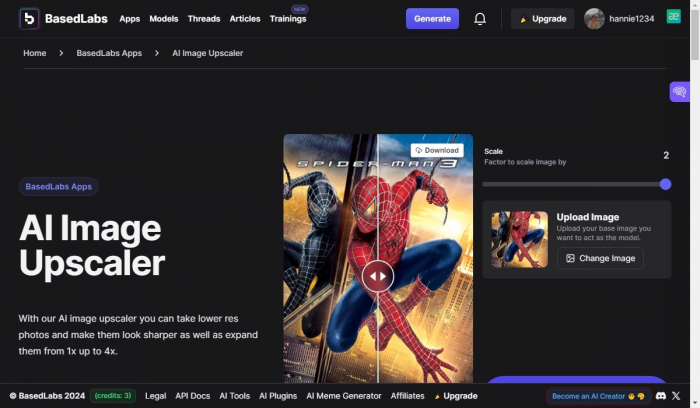
BasedLabs is more of a creator playground than a single-purpose face swap tool. It offers AI image generation, AI video generation, face swap tools, and several creative utilities inside one platform. The workflow is still beginner-friendly: choose a tool, upload your image or enter a prompt, generate the output, and refine from there.
The strongest part of BasedLabs is flexibility. Instead of only swapping faces, you can move between image generation, video creation, and editing-style tools. That makes it useful for creators who are building thumbnails, concept visuals, meme content, short videos, and experimental AI images. The tradeoff is that it may take a little more time to understand the full platform compared with a simpler tool like Pica AI.
How It Compares With Pica AI
Pica AI feels more focused, while BasedLabs feels more open-ended. If you only want a quick face swap, Pica AI may feel faster. But if you want to create different kinds of AI visuals from the same account, BasedLabs is the more flexible option. It works better for users who want to explore AI image and video creation instead of staying inside one narrow face editing workflow.
Best for: creators who want face swap, AI images, AI video, and creative experiments in one place.
What felt good: it gives more creative range than most simple face swap tools.
What felt weak: the platform may feel less direct if you only want one fast photo edit.
Pricing: BasedLabs offers free access to some tools. Paid credit packs currently start at $10 for 300 credits, with higher packs such as $29 for 900 credits and larger options for heavier users.
Choose it over Pica AI if: you want a full AI creation platform rather than a simple face swap tool.
Skip it if: you prefer a very clean, single-task interface with minimal choices.
Quick verdict: BasedLabs is a strong Pica AI alternative for creators who want to experiment with images and videos, not just swap faces.
4. DeepSwap
DeepSwap is built for users who care more about face swap quality, especially in videos. The workflow is simple on the surface: upload a photo, video, or GIF, add the face you want to swap, process the file, and download the result. It is not trying to be a general photo editor. Its main value is face replacement across media formats.
Where DeepSwap becomes useful is in motion-heavy use cases. Photo swaps are usually easier for most tools, but video face swaps are harder because the face has to stay consistent across frames, angles, expressions, and lighting changes. DeepSwap is better suited for users who want cleaner video face swaps for entertainment, creative clips, or marketing-style experiments.
How It Compares With Pica AI
Compared with Pica AI, DeepSwap feels more specialized. Pica AI is easier for casual image edits, while DeepSwap is better if your main priority is face swap quality in videos, GIFs, and moving content. It is less of an all-round creative toolkit and more of a focused face swap engine.
Best for: video face swaps, GIF face swaps, group edits, and users who want stronger face replacement quality.
What felt good: it is more focused on face swap performance than many casual AI photo tools.
What felt weak: it can become expensive if you generate often, especially with video files.
Pricing: DeepSwap usually has limited free access or trial-style usage. Current pricing snapshots commonly list paid plans starting around $9.99/month, with higher plans around $19.99/month depending on credits and file limits.
Choose it over Pica AI if: video face swap quality matters more than having lots of extra image editing tools.
Skip it if: you mostly need simple social media photos or casual AI portraits.
Quick verdict: DeepSwap is a better alternative for serious face swap users, especially when video output matters.
5. Magic Hour
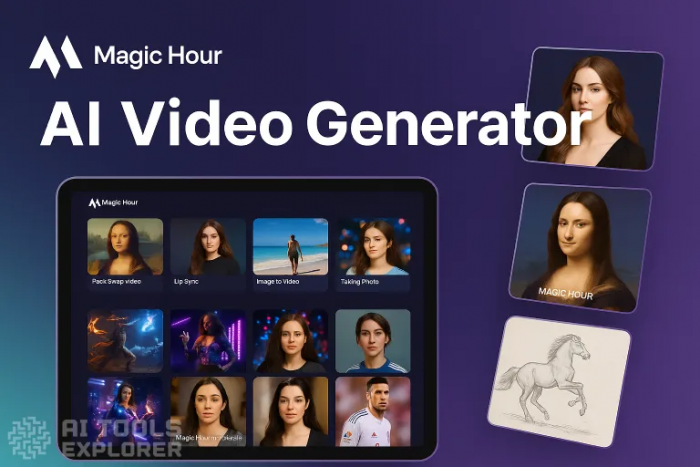
Magic Hour is a strong alternative for users who want face swap features inside a modern AI video and image editing platform. The workflow is clean: choose the tool, upload your media, generate the result, and then use other tools like image editing, lip sync, GIF generation, talking photos, or video generation if needed.
The tool feels especially useful for creators who want outputs that look more polished than quick meme tools. It is not only about swapping faces, but about helping creators produce short visual assets for marketing, social media, thumbnails, and AI video content. The free daily credits also make it easier to test before paying.
How It Compares With Pica AI
Pica AI is better for quick, casual face-based image tasks. Magic Hour feels stronger when realism and content production matter. If your workflow includes short videos, talking photos, social clips, or image edits where output quality needs to look cleaner, Magic Hour offers a more production-friendly setup.
Best for: realistic face swaps, short AI videos, talking photos, social media visuals, and creator workflows.
What felt good: the platform feels more polished for video and marketing-style creative output.
What felt weak: users who only need a quick photo face swap may not use most of its extra tools.
Pricing: Magic Hour has a free plan with daily credits. Paid plans start around $10/month when billed annually, with higher tiers for more credits, larger files, commercial use, and higher resolution exports.
Choose it over Pica AI if: you want face swap tools plus stronger AI video and image creation features.
Skip it if: you want the simplest possible face swap tool and do not need video or production features.
Quick verdict: Magic Hour is one of the better Pica AI alternatives for creators who care about cleaner, more usable AI content rather than just quick experiments.
6. Pixlr
Pixlr is different from many Pica AI alternatives because it is a full browser-based photo editor with AI tools built in. You can use it for face swaps, background removal, filters, templates, design assets, and general photo cleanup. The workflow is simple: upload an image, choose the edit, adjust if needed, and export.
Its face swap tool is easy to use, but the main advantage is that you can keep editing the image inside Pixlr after the swap. This makes it practical for creators who want to polish their final image before publishing.
How It Compares With Pica AI
Pica AI is more focused on AI face effects and quick swaps. Pixlr is better if you want face swap as one feature inside a wider photo editing workspace. If your image needs cropping, retouching, background edits, filters, or design changes after the swap, Pixlr gives you more control than a simple AI face swap tool.
Best for: users who want face swap plus normal photo editing in the browser.
What felt good: you can keep editing the image after the AI swap instead of exporting it to another tool.
What felt weak: it may feel less specialized than dedicated face swap tools for advanced face replacement.
Pricing: Pixlr has a free option with access to online editing tools. Paid pricing varies by region and plan, but recent pricing snapshots commonly show entry-level paid access starting around $1.49/month, with higher plans for more AI credits and premium features.
Choose it over Pica AI if: you want a proper photo editor with AI face swap included.
Skip it if: you only want a dedicated face swap tool with no extra editing workspace.
Quick verdict: Pixlr is a practical Pica AI alternative for users who want to edit, fix, and finish images in the same browser-based platform.
7. Fotor
Fotor is a better fit for users who want AI photo editing rather than only face swapping. It includes tools for photo enhancement, background removal, AI headshots, retouching, image generation, object removal, and prompt-based editing. The workflow is more polished than many quick face swap tools: upload your image, choose the AI feature, apply the edit, and then continue adjusting the image if needed.
Fotor works well when the goal is to improve a photo, not just change a face. It is useful for profile pictures, creator visuals, product-style edits, social media posts, and simple design work. The AI tools are beginner-friendly, but the platform also gives more editing room than tools that only generate one output and stop there.
How It Compares With Pica AI
Pica AI is better if your main need is face swap or AI portrait effects. Fotor is better if you want a broader photo editing workflow with AI built in. It gives more control after generation, especially for users who want to retouch, enhance, replace backgrounds, or prepare an image for publishing.
Best for: AI photo editing, profile images, portrait cleanup, background edits, and social media visuals.
What felt good: the editing workflow feels more complete than a single-purpose AI face tool.
What felt weak: some advanced AI tools need paid credits or a Pro plan.
Pricing: Fotor has a free plan with limited credits and basic tools. Paid plans are commonly listed around $8.99/month for Pro when billed annually and around $19.99/month for Pro+, with higher credit options for heavier users.
Choose it over Pica AI if: you want stronger photo editing features around your AI outputs.
Skip it if: you only need fast face swaps and do not want a larger editor.
Quick verdict: Fotor is a good Pica AI alternative for users who care about editing quality, not only face replacement.
8. Artguru
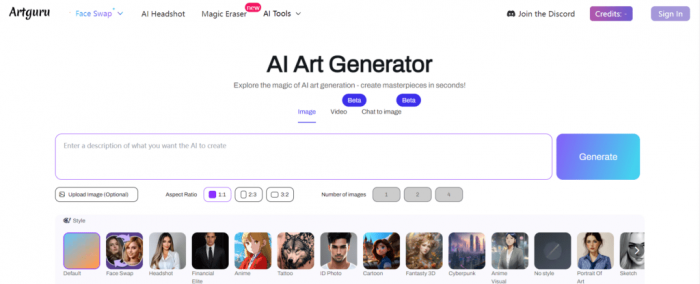
Artguru is a useful alternative if your main focus is image quality. It offers AI photo enhancement, upscaling, blur fixing, background removal, old photo restoration, and portrait improvement. The workflow is simple: upload an image, choose an enhancement feature, process it, and download the improved result.
It works best for fixing blurry, low-resolution, noisy, or unclear images before or after an AI edit. While it also includes AI portrait and creative image tools, its biggest value is making photos cleaner and more usable.
How It Compares With Pica AI
Pica AI is better for face swap and creative face-based edits. Artguru is better when your photo needs enhancement, upscaling, or restoration. It may not replace Pica AI for every face swap use case, but it can be a better choice when image quality matters more than changing identities or creating playful swaps.
Best for: image enhancement, upscaling, portrait cleanup, old photo restoration, and improving low-quality images.
What felt good: it is simple, fast, and useful when you need a cleaner image without manual editing.
What felt weak: it is not the strongest choice if your main goal is advanced face swapping.
Pricing: Artguru has a free option. Current pricing snapshots commonly list paid plans starting around $4.99/month, with a Standard plan around $9.90 to $9.99/month depending on billing and credit limits.
Choose it over Pica AI if: you want to improve photo quality rather than mainly swap faces.
Skip it if: you need dedicated face swap, video face swap, or advanced creative AI photo effects.
Quick verdict: Artguru is not the closest one-to-one Pica AI replacement, but it is a smart alternative for users who mainly want cleaner, sharper, better-looking images.
Which Pica AI Alternative Is Best?
The best Pica AI alternative depends on what you want to do after uploading the image. If you want a simple all-rounder, Remaker AI is the easiest recommendation because it covers face swap, AI portraits, enhancement, and quick creative edits without feeling complicated.
If video face swap matters, Vidnoz AI Face Swap, DeepSwap, and Magic Hour are stronger picks. Vidnoz is better if you want video tools and avatars together. DeepSwap is more focused on face replacement quality. Magic Hour is better if you want polished creative output for social media or marketing visuals.
If you want a broader creative platform, BasedLabs gives you more room to experiment with AI images and videos. If you want normal photo editing around AI features, Pixlr and Fotor are more practical than most single-purpose face swap tools. If your biggest problem is blurry or low-quality images, Artguru is the better choice.
Final Verdict
Pica AI is still a useful tool for quick face swaps and AI photo effects, but it is not the best fit for every workflow. The right alternative depends on whether you care more about speed, realism, video support, editing control, or image enhancement.
For most casual users, Remaker AI is the best overall Pica AI alternative because it is simple, fast, and more versatile than a basic face swap tool. For video-focused creators, Magic Hour and Vidnoz AI Face Swap are stronger choices. For people who want proper editing control after generating an image, Fotor and Pixlr make more sense. For improving image quality, Artguru is the cleanest pick.
The safest advice is simple: use Pica AI if you only need quick face-based edits, but choose an alternative when your workflow needs more than one-click face swapping.
Comments