

MotionMuse AI is useful for turning still images into short animated videos, but it is not the only tool worth testing. The AI video market has moved fast, and many creators now want more control over camera movement, character consistency, editing, commercial rights, resolution, and credit usage.
The best MotionMuse AI alternative depends on what you are trying to make. A social media creator may need fast image-to-video effects. A marketer may need polished product clips. A filmmaker may care more about cinematic motion, prompt accuracy, and scene consistency. This guide breaks down seven strong alternatives with clear use cases, pricing notes, strengths, limitations, and where each tool performs better than MotionMuse AI.
Before switching, understand how MotionMuse AI actually performs, read a detailed MotionMuse AI performance and reviews.
Quick Comparison:
| Tool | Best For | Free Version | Starting Paid Plan | Main Strength |
| Runway | Professional AI video creation | Yes | From $12/month yearly or $15/month monthly | Advanced video generation and editing |
| Pika | Short creative AI clips | Yes | From $8/month yearly | Fun effects and image-to-video tools |
| Luma Dream Machine | Cinematic image-to-video | Limited/free access may vary | From $30/month | Realistic motion and visual quality |
| Kling AI | Realistic motion and character clips | Yes | Pricing varies by plan and region | Strong human and object movement |
| PixVerse | Fast social video creation | Yes | Commonly starts around $10/month | Quick image-to-video generation |
| Hailuo AI | Short AI video experiments | Yes | From $14.99/month on listed plan terms | Fast video generation from text and images |
| InVideo AI | Script-to-video content creation | Yes | From $17/month yearly | Full video workflow with stock media and editing |
1. Runway: Best for Professional AI Video Creation
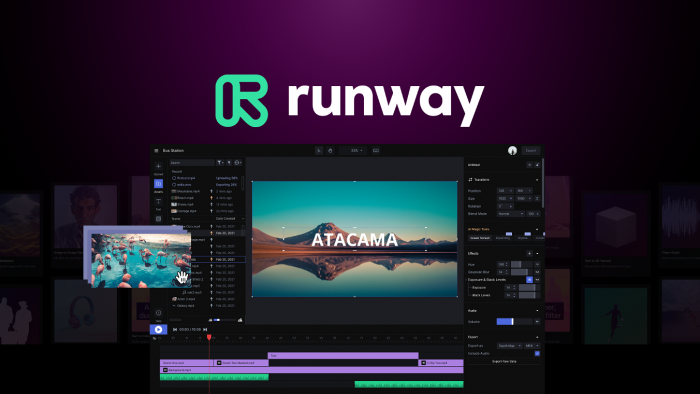
Runway is one of the strongest MotionMuse AI alternatives for creators who need more than basic photo animation. It gives users access to generative video models, image generation, editing tools, and a wider production workspace. MotionMuse AI is more focused on quick image-to-video generation, while Runway feels closer to a creative studio for serious AI video work.
The biggest advantage is control. Runway is useful for creators who want to experiment with cinematic shots, visual storytelling, branded clips, ads, product videos, and social content. It is not the cheapest option for high-volume users, but it offers more depth than lightweight image animation tools.
Key Features
● Image-to-video and text-to-video generation
● AI image generation and creative model access
● Video editing tools inside the same platform
● Useful for ads, short films, social clips, and concept videos
| Pricing Detail | Runway |
| Free version | Yes |
| Free plan limit | 125 one-time credits |
| Starting paid plan | From $12/month yearly or $15/month monthly |
| Best value for | Creators who need AI video plus editing tools |
Where it beats MotionMuse AI: Runway is stronger when the user wants a complete creative workflow instead of only a quick animated image. It is better for polished clips, commercial experiments, cinematic visuals, and creators who want editing tools after generation.
Best for: creators, marketers, agencies, and video teams that want professional AI video generation with stronger creative control.
2. Pika: Best for Fun, Fast, Social-Friendly AI Clips
Pika is a strong MotionMuse AI alternative for creators who want short, eye-catching AI videos without a heavy editing setup. It is especially useful for social media clips, visual effects, meme-style videos, character moments, and creative image-to-video experiments. The platform has a playful style, but it is still capable enough for creators who want fast output.
Compared with MotionMuse AI, Pika gives users more creative effect options. Features such as Pikascenes, Pikadditions, Pikaswaps, Pikatwists, and Pikaffects make it more flexible for trend-driven video ideas. It works well when the goal is not a long film but a short visual that can attract attention on TikTok, Instagram, YouTube Shorts, or X.
Key Features
● Text-to-video and image-to-video generation
● Creative effects for quick social clips
● Multiple video tools under the Pika ecosystem
● Watermark-free and commercial-use support on listed plan details
| Pricing Detail | Pika |
| Free version | Yes |
| Free plan limit | 80 monthly video credits |
| Starting paid plan | From $8/month yearly |
| Best value for | Social creators and casual AI video users |
Where it beats MotionMuse AI: Pika is better for playful short-form content, quick effects, and social-first video ideas. It gives creators more variety in how they can transform images or scenes into attention-grabbing clips.
Best for: creators who want fast, fun, and shareable AI videos without building a complex production workflow.
3. Luma Dream Machine: Best for Cinematic Image-to-Video Quality
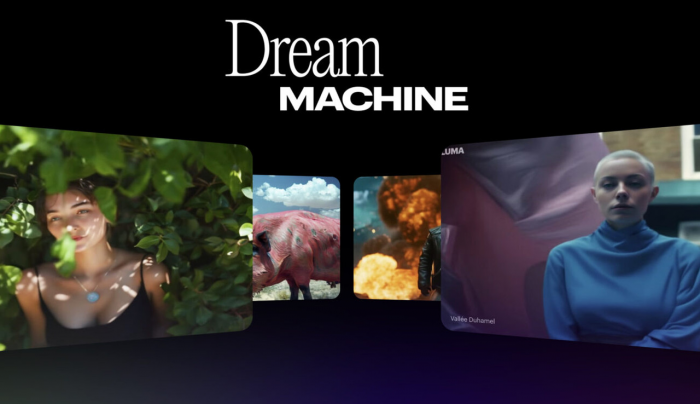
Luma Dream Machine is one of the best alternatives to MotionMuse AI if visual quality is your priority. It focuses on realistic motion, cinematic composition, and natural-looking video generation. For users who feel that basic image animation tools produce stiff or artificial motion, Luma is a stronger option.
The tool is useful for cinematic prompts, concept scenes, product visuals, mood videos, and creative experiments where lighting and movement matter. It is not always the best choice for users who want a full editing suite, but it performs well when the main goal is generating visually impressive AI clips from text or images.
Key Features
● Text-to-video and image-to-video generation
● Realistic motion and cinematic visual style
● Commercial use available on paid plans
● Useful for concept videos, product shots, and creative scenes
| Pricing Detail | Luma Dream Machine |
| Free version | Limited/free access may vary |
| Starting paid plan | Plus from $30/month |
| Commercial use | Included on Plus plan details |
| Best value for | Creators who want cinematic AI video output |
Where it beats MotionMuse AI: Luma is stronger for cinematic realism. If MotionMuse AI feels more like a simple animation tool, Luma feels more suitable for creators who care about visual polish, motion physics, and professional-looking scenes.
Best for: filmmakers, designers, content creators, and marketers who want higher-quality image-to-video results.
4. Kling AI: Best for Realistic Motion and Character-Based Clips
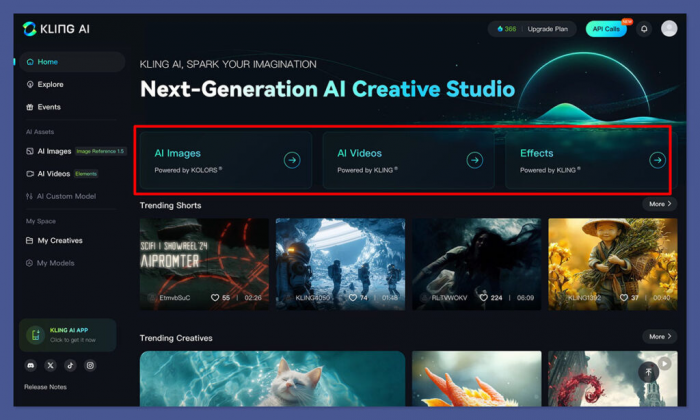
Kling AI is a serious MotionMuse AI alternative for users who want stronger motion handling, especially with people, characters, objects, and camera movement. It has gained attention for realistic AI video generation and is often compared with other leading video models because of its ability to create detailed motion from prompts or images.
The tool is useful for creators working on character clips, action shots, fashion videos, product movement, storytelling scenes, and cinematic tests. Pricing and plan availability can vary depending on region and product access, so it is important to check the live pricing page before publishing final numbers or subscribing.
Key Features
● Text-to-video and image-to-video generation
● Strong motion handling for people and objects
● Useful for cinematic, product, and social video clips
● Credit-based usage model
| Pricing Detail | Kling AI |
| Free version | Yes, availability may vary |
| Starting paid plan | Varies by plan, region, and billing cycle |
| Credit system | Yes |
| Best value for | Users testing realistic AI video motion |
Where it beats MotionMuse AI: Kling AI is better when the scene needs more believable movement. It is a stronger option for users who want AI clips that feel less like a simple moving photo and more like a generated video scene.
Best for: creators who need realistic motion, character movement, and more advanced AI video generation.
5. PixVerse: Best for Fast Image-to-Video Content
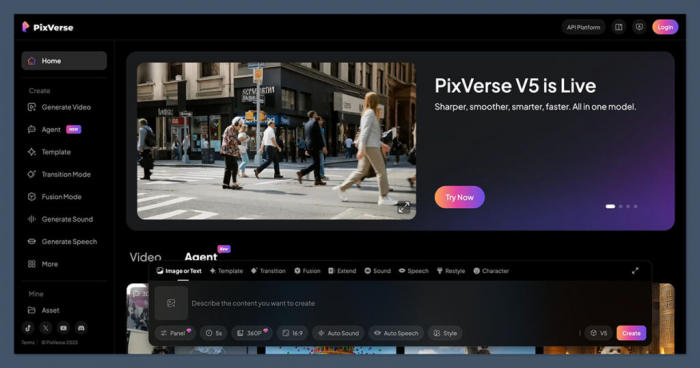
PixVerse AI is a practical MotionMuse AI alternative for creators who want quick image-to-video generation, social clips, and viral-style visual effects. It is not as production-heavy as Runway, but that is part of the appeal. PixVerse is designed for speed, accessibility, and short-form output.
The platform works well for creators who want to animate portraits, product images, characters, pets, fantasy scenes, or simple creative visuals. Its biggest value is convenience. You can test ideas quickly, generate multiple variations, and use the results for social content, thumbnails, reels, short ads, or creative experiments.
Key Features
● Image-to-video and text-to-video generation
● Fast generation for short clips
● Social-friendly visual effects
● Useful for creators, influencers, and small brands
| Pricing Detail | PixVerse |
| Free version | Yes |
| Starting paid plan | Commonly starts around $10/month |
| Credit system | Yes |
| Best value for | Fast social video generation |
Where it beats MotionMuse AI: PixVerse is better for creators who want speed and variety. It works well when the goal is to test multiple short video ideas rather than spend time refining one cinematic clip.
Best for: social media creators, small brands, and users who want quick AI-generated videos from images.
6. Hailuo AI: Best for Quick AI Video Experiments
Hailuo AI is another useful MotionMuse AI alternative for users who want to generate short videos from text and images. It is especially useful for fast testing because the platform supports AI video, image, and audio tools under a broader creative ecosystem. For creators who want to experiment with different formats, Hailuo AI offers more than a basic photo animation workflow.
The tool is best used for short clips, visual prompts, creative tests, and social video experiments. It may not replace a full editing suite, but it gives creators a simple way to move from idea to generated clip quickly. Like most AI video tools, users should check credit limits, watermark rules, and commercial-use terms before relying on it for client work.
Key Features
● Text-to-video and image-to-video generation
● AI image and audio tools in the same ecosystem
● Fast short-video output
● Paid plans with higher credits and watermark-free downloads
| Pricing Detail | Hailuo AI |
| Free version | Yes |
| Starting paid plan | Listed Standard plan from $14.99/month |
| Credit system | Yes |
| Best value for | Users testing short AI video concepts |
Where it beats MotionMuse AI: Hailuo AI is better for users who want a broader AI creation environment. It gives more room for testing different types of AI media instead of only animating still images.
Best for: creators who want a fast, flexible tool for short AI video experiments.
7. InVideo AI: Best for Script-to-Video and Complete Content Workflow
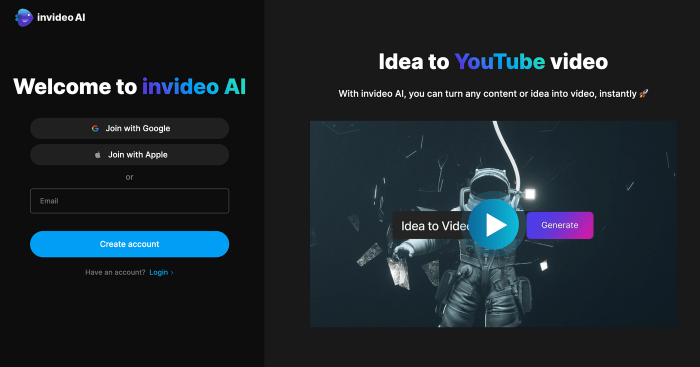
InVideo AI is different from most MotionMuse AI alternatives on this list. It is not only an image-to-video generator. It is better understood as a full AI video creation platform that can turn prompts or scripts into longer content using stock media, AI models, voice, captions, and editing tools.
This makes it a strong option for YouTubers, marketers, educators, agencies, and businesses that want to create explainers, ads, list videos, social content, and promotional videos. If MotionMuse AI is mainly about animating an image, InVideo AI is more about building a complete video from an idea.
Key Features
● Prompt-to-video and script-to-video creation
● Access to multiple AI image, video, audio, and music models on paid plans
● Stock media support
● Useful for YouTube, ads, explainers, and social content
| Pricing Detail | InVideo AI |
| Free version | Yes |
| Starting paid plan | From $17/month yearly |
| Credit system | Yes |
| Best value for | Users creating full videos, not only animated clips |
Where it beats MotionMuse AI: InVideo AI is stronger for complete content production. It is better when you need a finished video with scenes, voice, stock visuals, captions, and editing instead of a short image animation.
Best for: marketers, YouTubers, educators, and businesses that want full AI-assisted video creation.
You can also check out the comparison between Invideo Vs Pictory how they perform in different areas.
Which MotionMuse AI Alternative Should You Choose?
| User Need | Best Tool |
| Best overall professional alternative | Runway |
| Best for cinematic image-to-video | Luma Dream Machine |
| Best for short creative effects | Pika |
| Best for realistic motion | Kling AI |
| Best for quick social clips | PixVerse |
| Best for fast AI video experiments | Hailuo AI |
| Best for full script-to-video workflow | InVideo AI |
If you want the most complete creative environment, Runway is the safest choice. It offers a stronger workflow for serious video generation, editing, and visual experiments. If you care most about cinematic image-to-video quality, Luma Dream Machine is a better fit. For playful social media content, Pika and PixVerse are easier to recommend because they are faster and more effect-driven.
Kling AI is worth testing if realistic movement is your top priority. Hailuo AI is useful for quick experiments, while InVideo AI makes more sense if your goal is not just animation but full video production.
Final Verdict
MotionMuse AI is a useful tool for simple image-to-video animation, but creators who need stronger quality, better workflow control, or more content formats should compare it with broader AI video platforms. Runway is the best overall alternative for professional creators because it combines generation and editing. Luma Dream Machine is the strongest pick for cinematic visuals, while Pika and PixVerse are better for social-first video ideas.
For realistic motion, Kling AI deserves attention. For quick experiments, Hailuo AI is a practical option. For long-form or structured video content, InVideo AI is the better choice because it can turn scripts and prompts into complete videos.
The right choice depends on your workflow. If you only need quick animated images, MotionMuse AI may be enough. If you want sharper motion, stronger visual quality, commercial-ready output, or a complete video creation system, these seven alternatives give you more room to create.
Comments